
If you're looking to replace the Default Magento Tracking Number link with the WeSupply Tracking Page, please follow the steps below to configure the settings:
Step 1
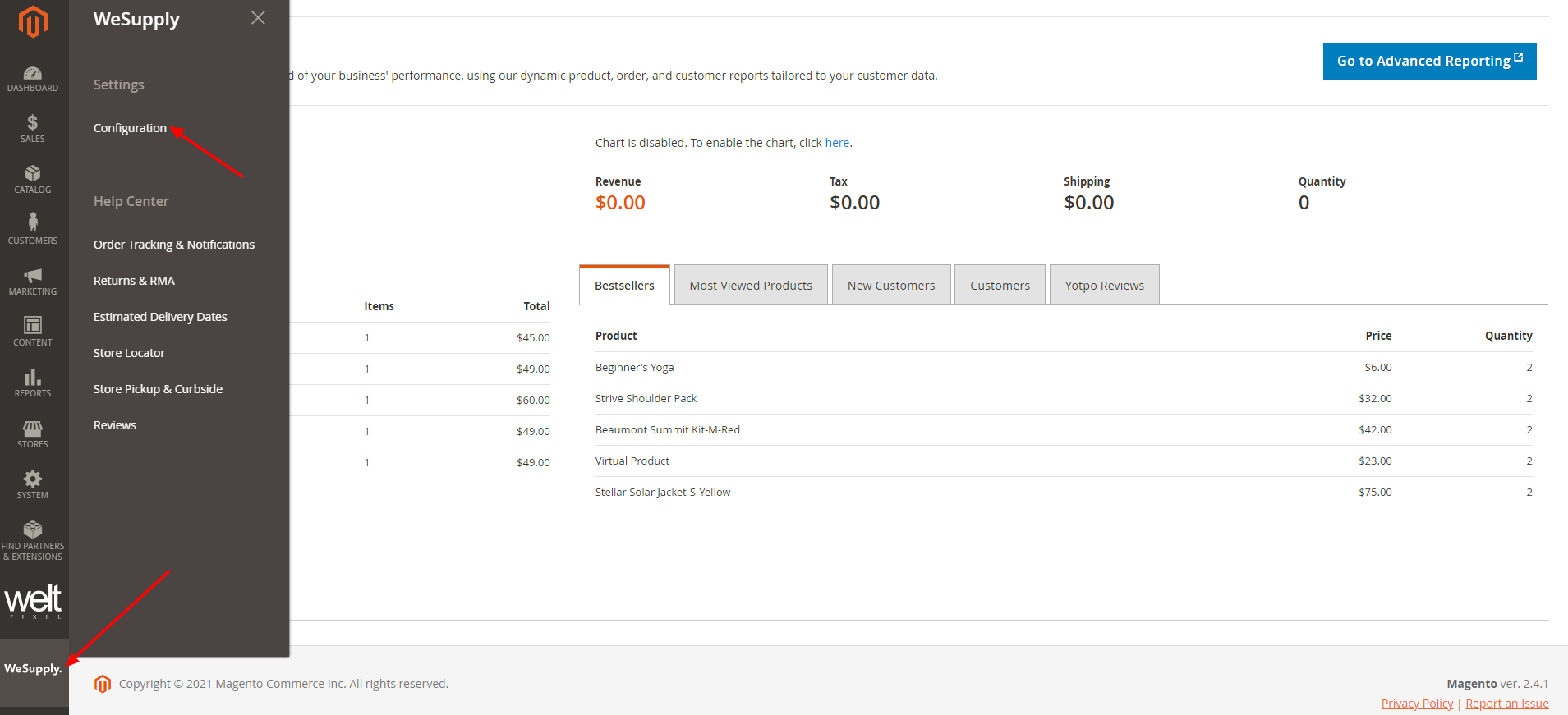
Log into your Magento Admin Panel and go to WeSupply -> Configuration:
Step 2
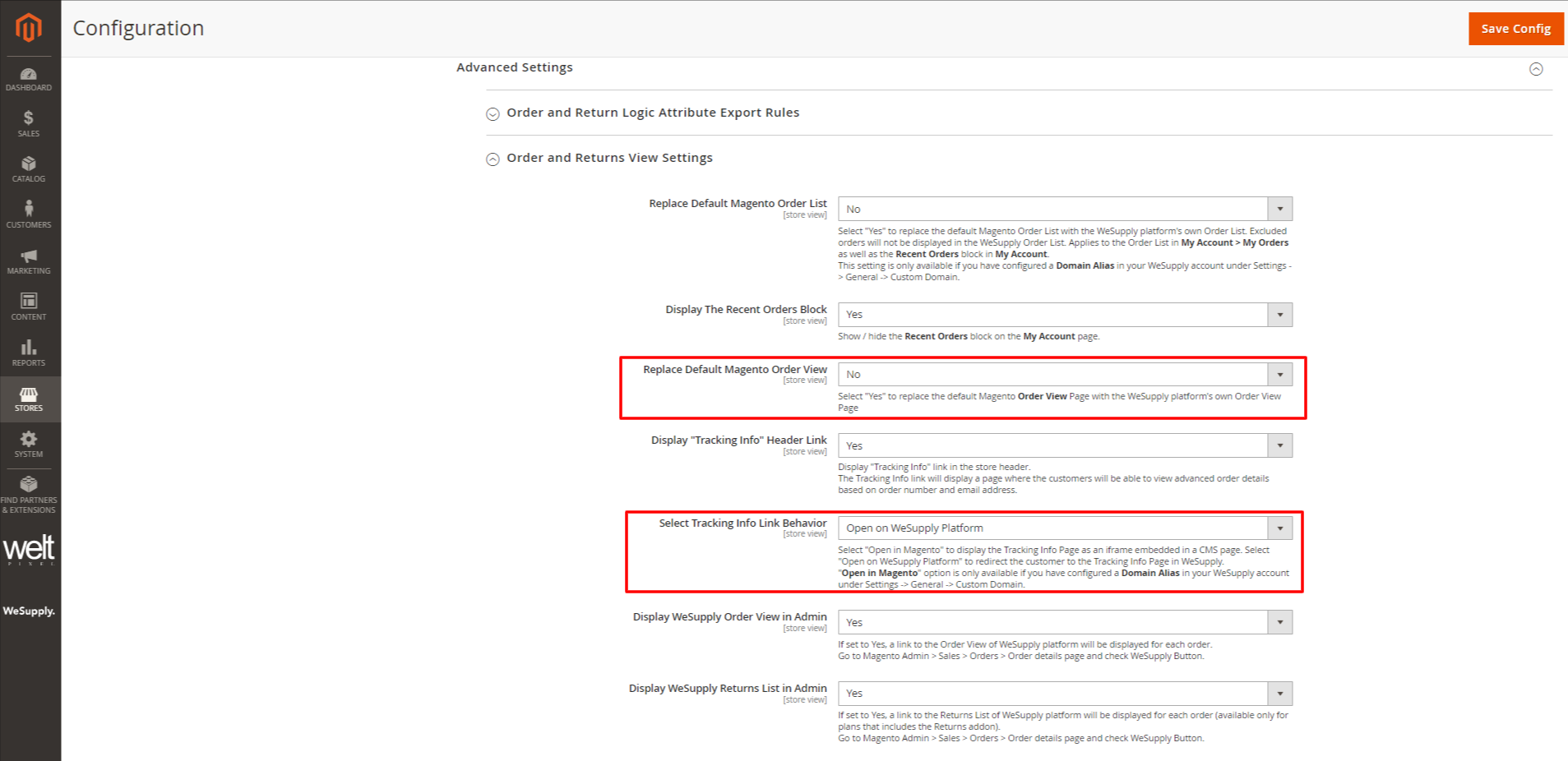
Scroll down to Advanced Settings -> Order and Returns View Settings and set the following:
- From the Replace Default Magento Order View dropdown menu -> select No.
- From the Select Tracking Info Link Behavior dropdown menu -> select Open on WeSupply Platform for the tracking link to redirect customers on the WeSupply platform.
Step 3
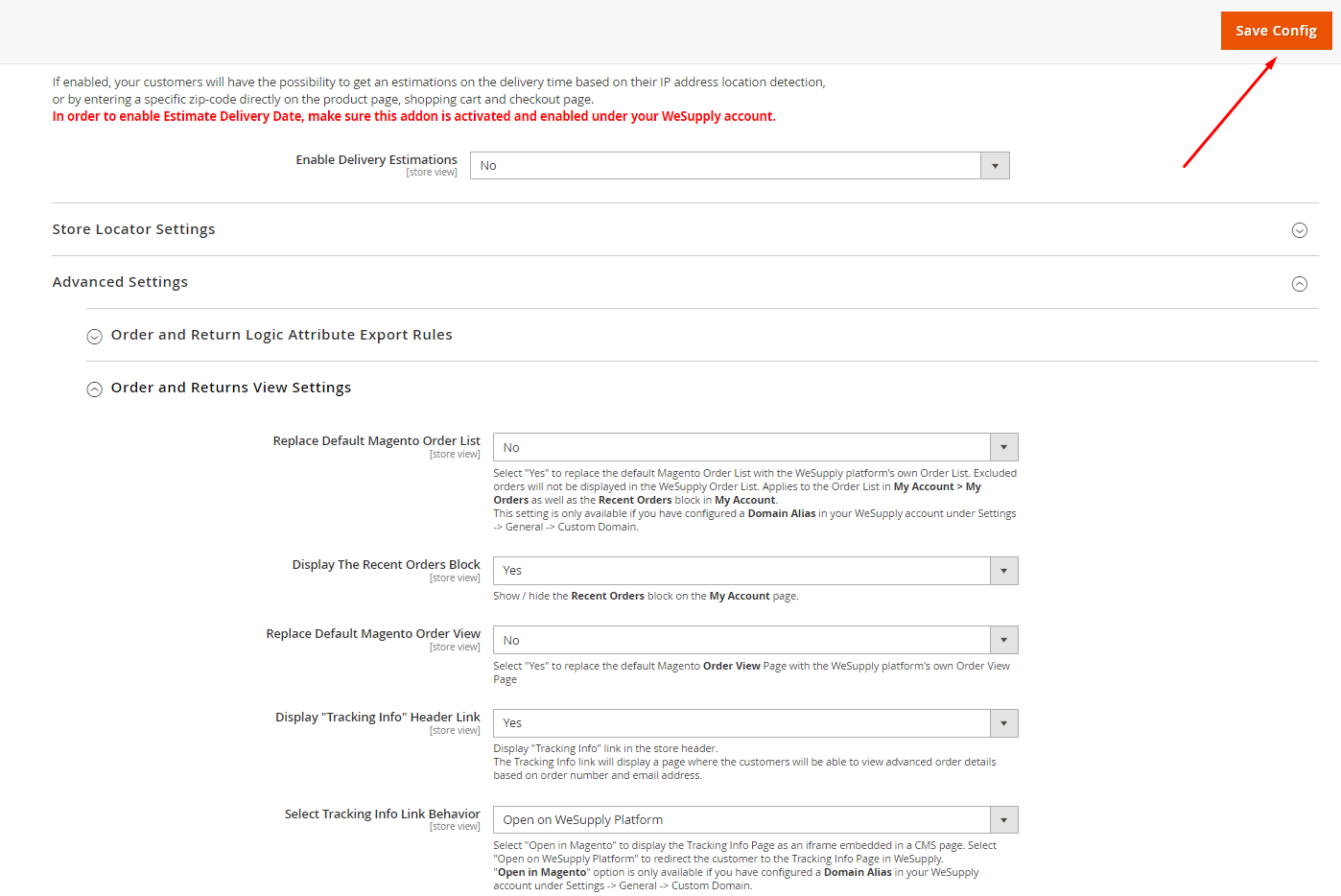
Click Save Config:
How this will work?
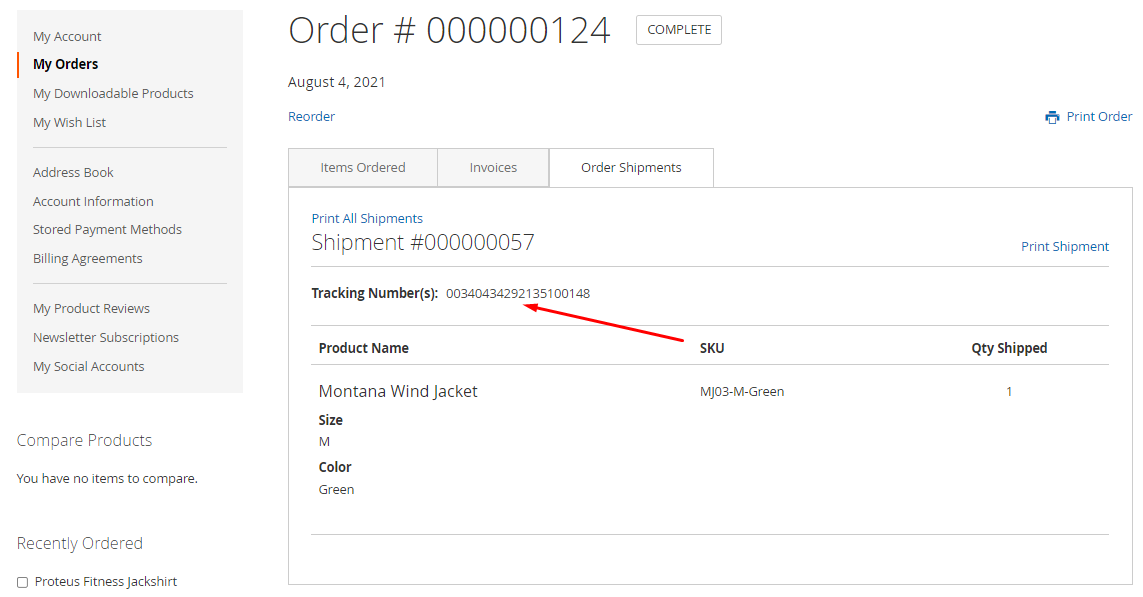
- When customers check their orders inside their Magento accounts and click on the tracking number, they will be redirected to the Tracking Page on the WeSupply platform:
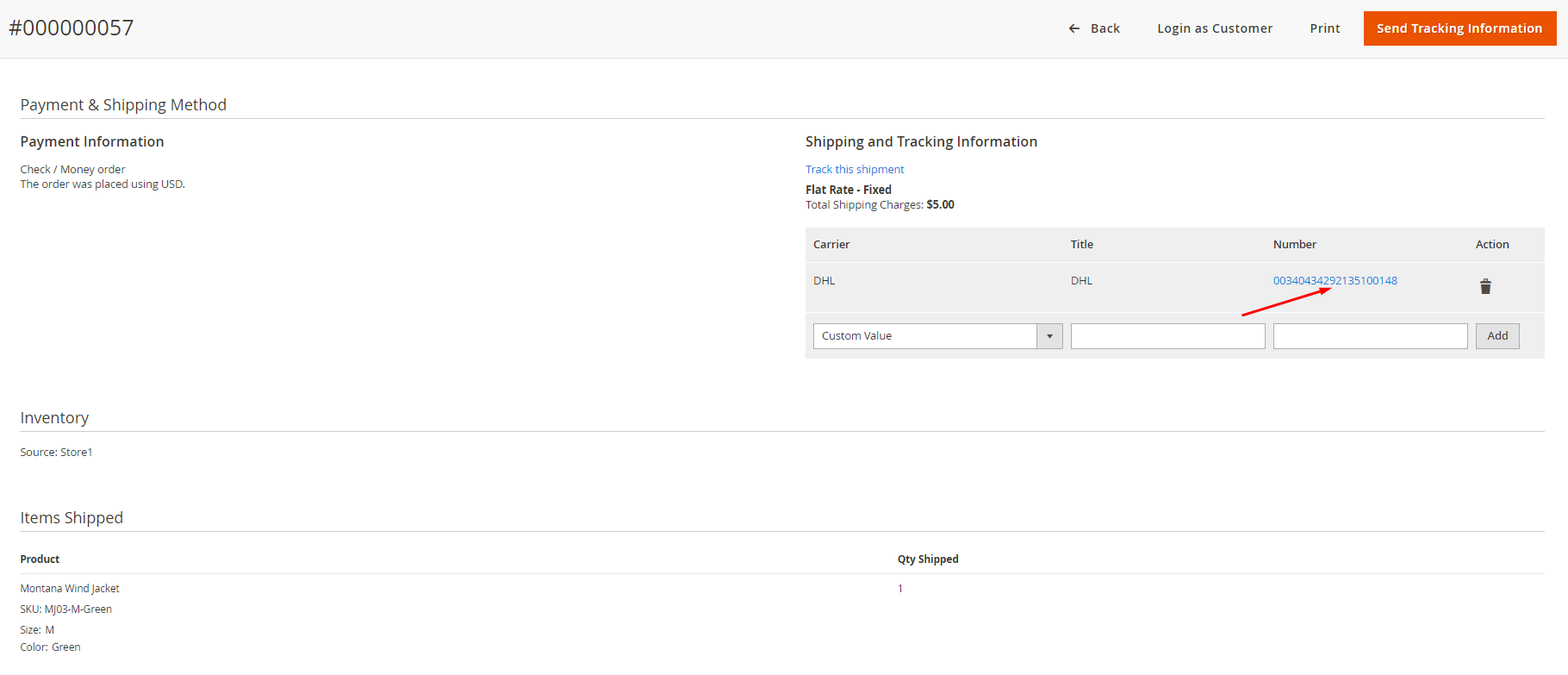
- Also, admin users for your Magento Admin Panel can click the existing tracking number from the Magento Shipment tab, and the WeSupply Tracking Page will be opened.
Comments
0 comments
Article is closed for comments.